

Gemini Flash 2.0 – Your Free AI Photoshop!
Forget those complicated photo editing tools as there is Google’s Gemini Flash 2.0, an AI Photoshop that lets you edit images in an innovative way. This free AI-powered tool can restore old photos, recolor images, transfer textures, swap faces, and even generate entire scenes—all through simple text commands. Be it a pro or an occasional user, Gemini Flash 2.0 is designed in a way that no one is going to feel that photo editing is cumbersome at all. Instead, this cutting-edge apparatus allows us to work with visual imagery in an absorbing way. Moreover, it shows us how technology has been leveraged to enrich our lives beyond measure and why it’s worth waiting for these earth-shaking changes. So, read on!
Why Gemini Flash 2.0 is a Must-Try AI Photoshop
It doesn’t take a photo editor to make it a visual masterpiece—it’s your creative assistant. Here’s how Gemini Flash 2.0 differs from others:
- Photo Restoration: Bring old, damaged photos back to life.
- Recoloring: Add vibrant colors to black-and-white images.
- Texture Transfer: Apply textures to objects for unique effects.
- Face Swapping: Change faces in photos with a single command.
- Object & Scene Generation: Create new objects or entire scenes from scratch.
With Gemini Flash 2.0, you can get really pro-level edited photos without being a pro yourself, thanks to its AI Photoshop capabilities.
How Gemini Flash 2.0 Works
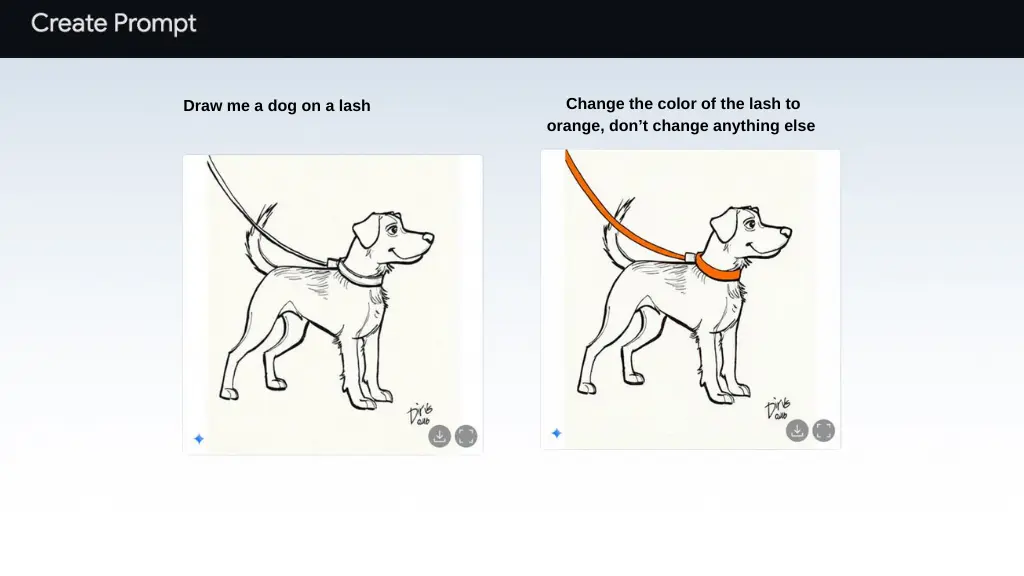
Basically, this AI Photoshop tool helps you to be creative by simplifying things to the point where transforming your images into something unusual only takes a chat with a computer. So, here is what you must do to be part of the exceptional experience:
- Visit AI Studio: Go to Google’s AI Studio and start a new chat.
- Enable Gemini 2.0 Flash Experimental: Turn on the experimental mode for advanced features.
Who Can Benefit from Gemini Flash 2.0?
Gemini Flash 2.0 certainly has a reason to be of interest to everyone:
- Photographers: Picture improvement and restoration are easy.
- Designers: Use it for experimenting with original texture and different kinds of post-production designs.
- Casual Users: Why not fix others’ photos as well as get to know the tool?
- Content Creators: Show off your style with the help of modern applications in social media.
Never mind the skill level you are, Gemini Flash 2.0 has made photo editing an easy and enjoyable experience.
Conclusion
The Gemini Flash 2.0 tool is beyond compare, as it is a convenient device for easy photo editing. Thanks to the features powered by AI and a user-friendly interface, it is a godsend to the one who faces the problem of enhancing one’s images without any fuss.
Find even more photo editing tools here!


